How Many Amps Does a Computer Use?
A typical desktop computer draws about 1 to 2.5 amps at 120 volts. A gaming PC under load draws 3 to 5 amps, and laptops draw well under 1 amp. Amps equal watts divided by volts, so the figure depends on the machine and on your supply voltage.
That number is small, which is why most answers stop there. But a computer is the one everyday load where the circuit arithmetic genuinely bites, and almost no guide explains why.
A computer runs for hours at a time. Under electrical code, that makes it a continuous load, and continuous loads are sized differently from everything else in your building. Get that wrong and you either overbuild a circuit or, worse, fit a breaker that the wiring behind it can’t support.
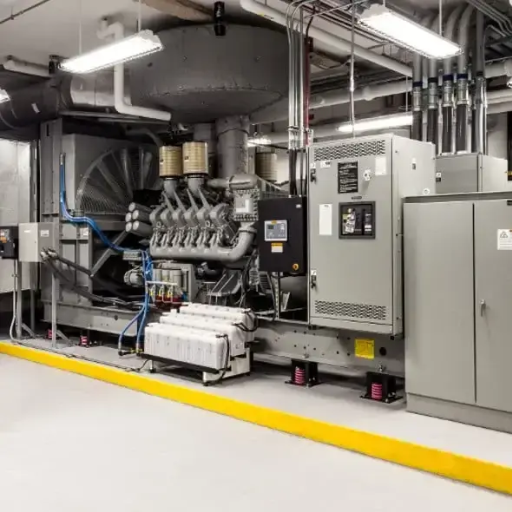
At ZC Power we size generating equipment for offices, server rooms and data centers, so this arithmetic is our working day. The same load that looks trivial on a kitchen circuit becomes a serious sizing question when forty of them sit in one building.
This guide gives you the amperage table for both voltages, explains why your power supply’s label isn’t its power draw, and covers the two rules that decide whether your circuit and your backup generator are actually adequate.
Key Takeaways
- Amps equal watts divided by volts. An office desktop with a monitor draws 1.3 to 2.5 A at 120 V, and a gaming PC draws 2.5 to 5 A.
- A computer counts as a continuous load because it runs three hours or more. The circuit must therefore be sized at 125 percent of that load, not 100 percent.
- 125 percent and 80 percent are the same rule stated in two directions. The figure often quoted for circuits as 70 percent is a different rule borrowed from generator practice.
- Your PSU nameplate is a maximum, not a draw. Wall draw is component power divided by efficiency, and it’s usually far below the number on the sticker.
- Computers are non-linear loads. A room full of them heats a generator alternator, so the set is sized larger than the watts alone suggest.
If you’re here to size a backup supply rather than a branch circuit, the generator load calculation guide covers the method end to end. The sections below cover the part that catches people out, which is what a continuous electronic load does to a generating set.
How Many Amps Does a Computer Use? The Short Answer

Working out how many amps a computer uses takes one division. Amps = watts ÷ volts. Read the real wattage of the machine, divide by your supply voltage, and you have the current.
The computer amps figure you get will be modest. The sections below show why it still matters.
The Wattage to Amperage Table at 120 Volts
This covers North American household and office circuits.
| Computer type | Running watts | Current draw at 120 V |
|---|---|---|
| Laptop with a 65 W charger | 30 to 65 | 0.25 to 0.55 A |
| Laptop with a 90 to 140 W charger | 60 to 140 | 0.5 to 1.2 A |
| Mini PC or small desktop | 30 to 100 | 0.3 to 0.8 A |
| Office desktop tower | 100 to 200 | 0.8 to 1.7 A |
| Desktop plus monitor | 150 to 300 | 1.3 to 2.5 A |
| Gaming PC under load | 300 to 600 | 2.5 to 5.0 A |
| High-end gaming or workstation, peak | 600 to 1,000 | 5.0 to 8.3 A |
| Monitor on its own | 25 to 100 | 0.2 to 0.8 A |
The Same Machines on a 230 Volt Supply
In Europe, the United Kingdom, Australia and much of Asia the supply is roughly twice the voltage, so the same wattage draws roughly half the current.
| Computer type | Running watts | Current draw at 230 V |
|---|---|---|
| Laptop with a 65 W charger | 30 to 65 | 0.13 to 0.28 A |
| Office desktop tower | 100 to 200 | 0.4 to 0.9 A |
| Desktop plus monitor | 150 to 300 | 0.7 to 1.3 A |
| Gaming PC under load | 300 to 600 | 1.3 to 2.6 A |
| High-end workstation, peak | 600 to 1,000 | 2.6 to 4.3 A |
Read the two tables together and the pattern is the point. A 300-watt gaming PC is a 2.5 amp load in North America and a 1.3 amp load in Europe, and nothing about the machine has changed. Any guide that only gives one voltage is answering half the question.
If your question is how many amps a gaming PC uses, read the 300 to 600 watt row: 2.5 to 5 amps at 120 volts, and half that in Europe. It is the highest-draw machine most people will put on a household circuit.
Why the PSU Nameplate Is Not the Draw
This is the single most common mistake on the subject, and it shows up constantly in forum threads where someone reads a 750 W sticker and concludes their PC uses 750 watts.
A power supply’s wattage rating is the maximum it can deliver, not what the system consumes. A 750 W unit in an office tower that idles at 90 W is still drawing about 90 W. Buyers routinely size backup power three or four times larger than necessary by adding up nameplate figures instead of measuring.
There is a second correction on top of that. The wall always pulls more than the components use, because the supply loses some energy as heat. Wall draw is component power divided by efficiency. An 80 PLUS Gold unit runs at roughly 87 to 90 percent efficiency around half load, so a 400 W component load pulls about 450 W at the wall.
A Quick Word on Measuring Your Own
If you want your own number rather than a table, an inexpensive plug-in power meter is the reliable answer. Run your normal workload for a few minutes and read the watts.
Divide that by your supply voltage and you have your amps. It takes five minutes and it beats every estimate, including ours.
A Computer Is a Continuous Load, and That Changes the Circuit
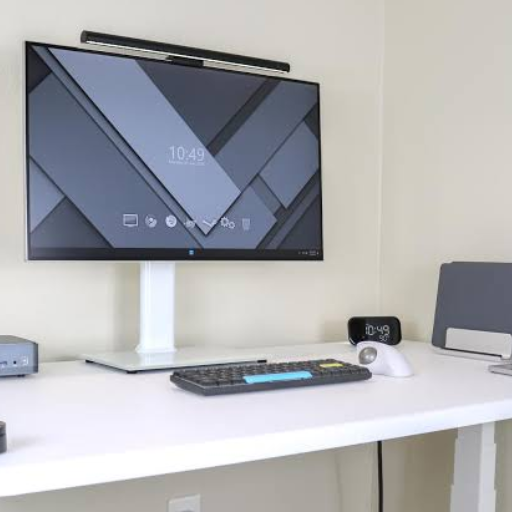
Here is where a computer stops behaving like a lamp.
Under the National Electrical Code, a continuous load is one where the maximum current is expected to continue for three hours or more. A computer used for a working day meets that definition easily. So does a server, and so does a network rack.
Once a load is continuous, the code changes the arithmetic. It is no longer enough for the circuit to be rated above the load. The circuit must be sized above it by a margin.
The 125 Percent Rule for Conductors and Breakers
Two code requirements work together here. Branch-circuit conductors must be sized at not less than 125 percent of the continuous load. The overcurrent device, meaning the breaker, must be rated at not less than the noncontinuous load plus 125 percent of the continuous load.
In plain language, a computer circuit must carry 25 percent more capacity than the computers actually draw.
There’s one exception worth knowing. Where the whole assembly, breakers included, is listed for operation at 100 percent of rating, the multiplier isn’t required. That exception is uncommon in ordinary buildings and it needs specific listed equipment. Treat 125 percent as the rule.
125 Percent and 80 Percent Are the Same Rule
People often meet this as an “80 percent rule” and get confused when another source says 125 percent. Both are correct, because they are the same rule viewed from opposite ends.
A standard breaker is limited to 80 percent of its rating on a continuous load. Turn that around and the circuit must be sized at 125 percent of the load. One divided by 0.8 is 1.25. It is one rule with two phrasings.
| Breaker rating | Circuit watts at 120 V | Continuous limit at 80 percent |
|---|---|---|
| 15 A | 1,800 W | 1,440 W |
| 20 A | 2,400 W | 1,920 W |
Why the 70 Percent Rule Is a Different Rule
Some advice, including material that ranks for this very question, tells you to plan a circuit at 70 percent. That figure doesn’t come from the code.
The 80 percent figure is the circuit rule. The 70 to 80 percent band is something else: it’s the practice of not running a generator above about 80 percent of its continuous rating, and some operators prefer a wider margin still. That rule governs the health of a generating set, not the capacity of a branch circuit.
Applying a generator margin to a circuit makes you think you need more circuit than you do. Applying a circuit rule to a generator misses the real constraint. Keeping the two apart is most of what a competent load study does.
How Many Amps Does a Computer Use on a Shared Circuit?

With the rule settled, the counting is straightforward. Take the continuous limit from the table above and divide by the draw of one workstation. The most common version of this question is how many computers on a 15 amp circuit, so start there.
Counting Computers on a 15 Amp Circuit
A 15 amp, 120 volt circuit has an 80 percent continuous limit of 1,440 watts.
| Workstation draw | Computers on a 15 A circuit |
|---|---|
| 100 W (compact desktop, no separate monitor) | 14 |
| 200 W (office desktop plus monitor) | 7 |
| 350 W (workstation with a discrete graphics card) | 4 |
| 500 W (gaming PC under load) | 2 |
Counting Computers on a 20 Amp Circuit
A 20 amp, 120 volt circuit has an 80 percent continuous limit of 1,920 watts.
| Workstation draw | Computers on a 20 A circuit |
|---|---|
| 100 W | 19 |
| 200 W | 9 |
| 350 W | 5 |
| 500 W | 3 |
Notice how quickly the count falls for gaming and workstation machines. Four or five high-draw desktops can fill a 20 amp circuit, which is why a small studio or a rendering room needs more circuits than an office of the same headcount.
This is an illustrative composite rather than a record of a specific client. A systems administrator in a design studio added up six workstations at 200 watts each, concluded the load was “only 1,200 watts,” and left them all on one 20 amp circuit. It held for months, because the machines rarely ran hard at the same time. When a project deadline put all six under sustained load for a full day, the breaker began tripping mid-afternoon. The circuit was never overloaded by the code’s reckoning in ordinary use. Sustained load changed the arithmetic, and the fix was a second circuit rather than a larger breaker.
Why a Whole Office Restarting Can Trip a Breaker
There is one behaviour that a plain watts table misses, and it matters after an outage.
A computer has no running surge. Unlike a motor, an electronic supply draws roughly the same current in steady state as it does under load, which is why the motor starting surge guide is about motors and not about PCs.
At the moment of switch-on, though, a supply’s capacitors charge and draw a brief spike of current. One machine does nothing noticeable. Forty machines restarting together, as they do when utility power returns, can nuisance-trip a breaker even when the steady-state load is comfortably within rating.
We treat staggered restart as good practice in offices and server rooms for exactly this reason. If a breaker trips at power-up rather than under load, inrush is the first thing to suspect, and a larger breaker is the wrong answer.
Sizing a Generator for a Computer Load

Now to the question this arithmetic exists to serve. A backup generator for computers isn’t sized on watts alone, and the reason is specific to electronic loads.
Why a Small Load Still Sizes a Larger Set
Generators are worked within limits. The industry practice, and ours, isn’t to run a set above roughly 80 percent of its continuous rating during sustained operation. That preserves voltage regulation and thermal headroom, and it keeps the machine inside the conditions it was designed for. Public utility guidance on loading a portable generator takes the same position.
This is practice rather than a published standard, and it’s a different rule from the circuit rule above, even though the number is the same. Don’t let the coincidence confuse the two.
On top of that comes the effect that catches out anyone sizing on a watts total.
Non-Linear Loads and Alternator Heating
Computers are non-linear loads. Their switch-mode supplies draw current in short pulses rather than in a smooth wave. Those pulses distort the current waveform and generate harmonics, and harmonics heat the alternator windings of a generating set.
A resistive load like a heater doesn’t do this. A room full of computers does, and it does it in proportion to how much of the total load they represent.
Our engineering practice is to treat a non-linear share above roughly 25 percent of the total load as a sizing event: we either derate the alternator by around 20 to 30 percent or specify a winding better suited to the harmonic content. In an office or a server room the computers are almost always the majority of the load, so the derating question isn’t hypothetical.
Two smaller factors point the same way.
- Power factor. Computer supplies sit below unity, so the load in kVA is higher than the load in kW.
- Stability. Electronic loads are sensitive to voltage and frequency, which argues for genuine headroom rather than a set sized exactly to the load.
Worked Example: An Office With a Server Rack
Put the pieces together on a realistic building.
| Item | Quantity | Running load |
|---|---|---|
| Desktop plus monitor | 40 | 8,000 W |
| Server rack | 1 | 3,000 W |
| Network and switching gear | 1 | 500 W |
| Total running load | 11,500 W |
A total of 11.5 kW isn’t the sizing answer.
Converting at a power factor near 0.9 gives about 12.8 kVA. Holding to the 80 percent band raises the requirement to about 16 kVA. Then the non-linear derating applies, because the computers and the servers are effectively the whole load. That pushes the practical figure further, and the honest answer lands at a set of around 20 kVA.
Sizing the same building on 11.5 kW alone would under-build it by roughly half. That gap is the reason a computer load is worth understanding, and it isn’t visible on any wattage table.
This is an illustrative composite rather than a record of a specific client. A facilities manager at a medical billing office sized a standby set from a spreadsheet of nameplate wattages, which put the building at about 22 kW. The quoted set looked comfortable. What the spreadsheet had not captured was that the 22 kW included a nameplate figure of 750 watts per desktop for machines that drew closer to 150. The load was overstated, the non-linear share was understated, and the set that eventually went in was chosen on a proper survey. The lesson runs both ways: nameplate totals overstate the watts and hide the harmonics.
Computers, UPS Units, and Generator Harmony

Most buildings with critical computers don’t connect them to the generator directly. They sit behind an uninterruptible power supply, and that changes the sizing conversation.
Why the Computer Load Comes First
A UPS exists because a generator takes seconds to start while a computer takes milliseconds to fall over. During that gap, the batteries carry the load. Everything about the UPS, including how long it holds and how large it needs to be, starts from the computer load it protects.
That is why the amp figures above are the foundation of a UPS decision. Our guide to UPS backup power covers the topologies and the integration details.
Sizing the Set Around the UPS, Not the Devices
Here is the counter-intuitive part. The generator doesn’t see the computers. It sees the UPS, and a UPS behaves differently from the equipment behind it.
A UPS draws a distorted current while it charges its batteries, and it needs a stable supply to come off battery cleanly. The standard practice in our sizing work is to give the generating set substantially more capacity than the UPS itself is rated for, so the set can carry the protected load and recharge the batteries at the same time without being pushed past its band.
The practical consequence is that the set is sized on the UPS, with a generous margin, rather than on a simple sum of computer watts. For a building where computers are the critical load, the full method is set out in our guide to sizing a backup generator for a data center.
If you’re assessing the conductors between the set and the load, the same 125 percent arithmetic governs the wire, which the guide to sizing wire for a 30 amp circuit works through.
Frequently Asked Questions
How many amps does a desktop computer use?
An office desktop tower draws about 0.8 to 1.7 amps at 120 volts. With a monitor included, the pair draws about 1.3 to 2.5 amps. A gaming PC under load draws 2.5 to 5 amps, and a high-end workstation can reach 8 amps at peak.
How many amps does a laptop use?
Very few. A laptop with a 65 watt charger draws about 0.55 amps at 120 volts, and a larger 140 watt charger draws about 1.2 amps. On a 230 volt supply those figures halve.
How many amps does a gaming PC use?
A gaming PC under load draws 2.5 to 5 amps at 120 volts, and about half that on a 230 volt supply. A high-end workstation can reach 8 amps at peak.
How many computers can I put on a 15 amp circuit?
At 200 watts per workstation, seven. The 15 amp circuit has a continuous limit of 1,440 watts, and each 200 watt machine uses part of it. High-draw machines cut the count sharply, to about two gaming PCs per circuit.
Do computers surge when they start?
Not in the way a motor does. A computer draws roughly the same current in steady state as under load, so there is no running surge to add into a sizing calculation. There is a brief inrush as the supply’s capacitors charge, which matters when many machines start together but not for a single PC.
Can a generator run a computer?
Yes, and offices, server rooms and data centers are routine generator applications. The set is usually sized with more headroom than the wattage total suggests, because computers are non-linear loads that heat the alternator and because a UPS in front of them needs capacity of its own.
Is the wattage on my power supply what it uses?
No. The nameplate figure is the maximum the supply can deliver. Actual draw is usually 30 to 70 percent of that figure, and wall draw is component power divided by efficiency. A plug-in meter gives the real number in minutes.
Conclusion
How many amps does a computer use? A small number, and what follows from that number is the interesting part.
- Amps equal watts divided by volts, giving about 1.3 to 2.5 amps for an office desktop and monitor at 120 volts, and half that on a 230 volt supply.
- Your PSU label is a maximum, not a draw. Measure the real figure rather than adding up nameplate watts.
- A computer is a continuous load, so the circuit must be sized at 125 percent of the load. That’s the same rule as the 80 percent continuous limit, and it isn’t the 70 percent figure sometimes quoted.
- Seven 200 watt workstations fit a 15 amp circuit, and high-draw machines cut that count fast.
- On a generator, the watts are the starting point, not the answer. The 80 percent loading band and the alternator derating for non-linear loads both push the required set above the running total.
If your building’s critical load is a room full of computers, the sizing question deserves a proper survey rather than a spreadsheet of nameplate figures. Our engineering team works through generator load calculations with facility managers every week, and we will build the number from measured loads rather than estimates.
Contact our engineering team for a site assessment and a factory-direct quote on a standby set sized for your actual computer load.