
Containerized Generator GA Drawing Review: Shipping, Operating and Maintenance Envelopes
A containerized generator GA drawing review checks three space needs: shipment, use on site, and service or removal of parts. Match each view to the quoted equipment. Give each open question an owner and state what evidence will close it.
A general arrangement (GA) drawing may show a closed enclosure. It may leave out items fitted on site, such as a silencer shipped in a separate pack. Use this guide as a review worksheet for buyers and project teams. It gives you questions to close, not fixed clearances or engineering approval.
Key Takeaways
- Match the drawing revision to the offered engine, alternator, enclosure, and accessories.
- Check shipping and installed outlines separately, including loose items and connections.
- Review routine service tasks and major-component removal as distinct access needs.
- Close comments against identified evidence and revisions, with a recorded decision.
For a project inquiry, send ZC Power your equipment list, current GA, and site constraints.
Establish the containerized generator GA drawing review baseline
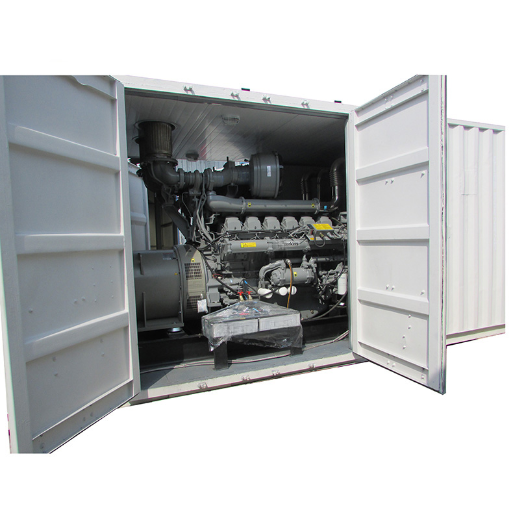
Match the quoted equipment and supplied scope
Which exact set does the drawing represent? Put the quotation reference, equipment schedule, and accessory list beside the GA before checking the outline. Ask the supplier what differs between the offered package and the standard bid drawing.
List the engine, alternator, cooling layout, controls, enclosure, and fuel-system scope. If one drawing covers a range of sets, ask which details apply to your order. Don’t assume that an accessory shown in a brochure belongs to the quoted package.
The Teksan Diesel GenSet User Manual, sections 2.1 and 2.2, provides a manufacturer example of equipment identification and drawing records. It also explains how enclosure layouts can vary. Use the actual supplier documents to check your set. Another maker’s manual cannot confirm its size.
Record document status, units, and site-layout revision
Create a review header with the GA number, revision, issue purpose, date received, and equipment reference. Name the site-plan revision you will compare. Check its origin, orientation, levels, and units. Ask the drawing issuer to fill gaps and resolve conflicts before reviewers make different assumptions.
An early sales outline can help you discuss space. Before a project decision, ask which connection points or sizes may still change. What final drawing will replace them?
Keep those items open in the review record. Name who must reply and which document is needed.
Use the containerized generator buying guide for the broader procurement context. This review focuses on whether the proposed arrangement and its interfaces have enough documented detail for the decision being requested.
Check the as-shipped envelope
Identify loose items and projections
Is this the package that travels or the assembly that runs? Ask for an as-shipped outline showing the equipment condition at dispatch. Check parts that project outside the enclosure, parts removed for shipping, and loose items against the packing plan. Name the view that covers each shipped unit.
The nominal enclosure size alone does not answer these questions.
Illustrative scenario: The installed view shows a silencer above the enclosure, but the supplier says it travels separately. A reviewer writes: “Identify the silencer’s packing reference and show the installed position on the operating view.” The comment stays open until both references are supplied and checked; the verbal explanation alone does not identify the final arrangement.
Keep the loose-item list with the scope list. Who supplies each item? Who fits it, and which drawing shows where it goes? Record those answers for the site team.
Use the packing instructions for the packing work itself.
State shipping mass and its basis
Ask what is included in the shipping mass. Does it include fluids and fitted accessories? An unlabeled weight leaves the team guessing about its basis.
Atlas Copco’s 2015 QEC brochure lists QEC 800 dry mass as 12,150 kg and wet mass as 13,960 kg. This historical example shows why the mass condition needs a label; neither value specifies your order.
Request the package-specific handling-document reference and ask the logistics team to check the actual shipment requirements. A GA outline does not prove how to lift the set or whether a carrier will accept it. Ask for the separate handling and shipment documents that cover those decisions.
When defining the custom genset scope, include the distinction between factory-installed and site-installed items. Carry the same distinction into the shipping review so that the purchasing, packing, and installation records describe the same supplied scope.
Check the operating envelope and site interfaces
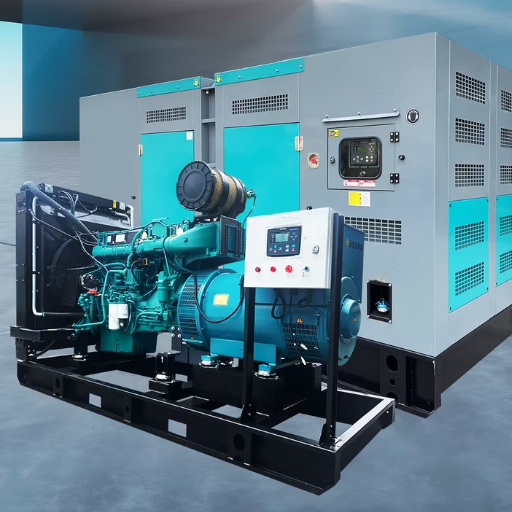
Show the installed arrangement
The operating view should show the set with all site-fitted items in place. Check it against the current site plan. Include walls, fences, nearby equipment, ducts, cables, and access paths.
If the top view leaves a clash unclear, ask for a side view or section.
Mark the air intake, cooling-air discharge, exhaust outlet, control face, and connection locations. Then list the design documents needed to check those points. An airflow arrow helps the team see the intended route. It does not prove that cooling will meet the stated site conditions.
Teksan’s manual, sections 3.4 and 3.5, discusses cooling and exhaust installation considerations. It says its typical installation sketch needs individual study. Apply that limit to your review.
Ask which site inputs and assumptions were used for this design. Don’t copy clearances from a generic sketch.
The loose-silencer example also needs an installed-view check. Once its final location appears, compare the support and connection boundaries with the site layout. Ask the responsible designer to resolve any affected exhaust route or access question; a packing clarification closes only the shipping part of the issue.
Assign connection and site-work boundaries
For each connection, record:
- Its location and drawing detail.
- What the supplier provides.
- Who owns the site work beyond it.
- Which design data are still needed.
Include power-cable entry, control wiring, fuel, drains, and earthing where they apply. Ask the design team for the data it needs; don’t guess from a small GA symbol.
For a fuel-fill point, ask where the delivery connection sits in the installed arrangement and who confirms access to it. For a cable entry, ask which routing drawing demonstrates the approach after nearby equipment is installed. These are document-coordination questions, not instructions to select pipework or cables.
Add a boundary note when one contractor’s work depends on another’s drawing. For example, the enclosure supplier may identify a connection while the site designer owns the route beyond it. Name both references in the comment so neither side can close the whole interface with a partial answer.
Use installation planning and site interfaces for the wider site-planning discussion. Keep this review focused on locating interfaces and assigning the evidence needed to check them.
Separate routine service from major-component removal
Build a routine task-access matrix
Can a technician do the task once cables, ducts, and barriers are in place? Check more than the door opening. Ask the maintenance reviewer to check the access face and working position. Include tools, supplies, and a route for the item being removed.
Build the task list from the manuals for the quoted equipment. Use the table below to review access. Follow the manuals and approved site procedures for the work, isolation, and safe distances.
Ask the supplier and site team to fill the evidence column for this set.
| Routine task to review | Access question | Evidence to request |
|---|---|---|
| Inspection and readings | Can the relevant faces and instruments be reached? | Marked service view and equipment manual reference |
| Filter replacement | Can tools and the removed filter pass through the opening? | Task-specific access detail |
| Fluid draining | Where is the drain point and collection position? | Connection detail and service method reference |
| Battery service | Can the specified battery be accessed and withdrawn? | Battery arrangement and service-access detail |
| Cooler cleaning | Which face and panel provide the required access? | Cleaning-access view and applicable instructions |
Illustrative scenario: A permanent barrier sits opposite the radiator panel on the site plan. Record two questions: whether the specified cleaning task can be completed, and whether the radiator can be removed. Ask for a view showing each route and its constraints. Don’t close both questions because a person can enter the enclosure.
Use maintenance planning to organize the wider service discussion. For this drawing return, record the task, affected view, responsible reviewer, and missing access evidence.
Review component removal and temporary obstructions
If the project calls for radiator, alternator, or engine removal access, review each route on its own. Ask the supplier to show the route and any panels or parts that must come off.
Request the method document too. Have the relevant specialists check handling; this worksheet is not a removal procedure.
Trace the route from the enclosure opening to the agreed handling area. Mark fixed obstacles and those that can be moved. Who controls that work? If the route needs a fence section moved or a site service disconnected, name the owner and keep that condition in the record.
Use manufacturer examples within their limits
The Atlas Copco QEC brochure, copyright 2015, describes cooler-cleaning access and a slide-in/out base concept. These examples show why service and removal need separate checks. They describe that named product. They do not prove which layout or options a ZC Power quote includes.
In its Norway drinking-water project case, Genesal reports rearranging components to address confined operation and maintenance access. This is another supplier’s account of its own project. Use it as a prompt to check each task against the layout. The enclosure description alone cannot show that access is adequate.
Use a containerized generator GA drawing review register
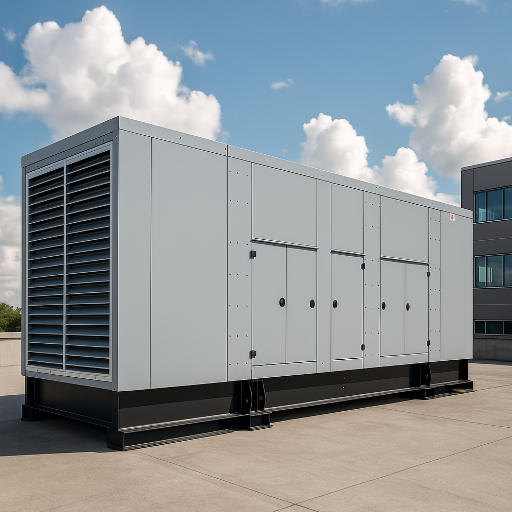
Worksheet columns and minimum rows
Use a review register to track each question in the drawing return. Put the equipment reference, GA revision, site-plan revision, reviewer, and review date at the top. Give each issue its own row. A partial reply should leave the unanswered question in view.
Copy the starter rows below and add project-specific items. The evidence column says what to request. It does not show that the layout has passed. Add real document numbers when they arrive, and mark missing references as open.
| Item or view | Question / required evidence | Responsible party | Status | Closure revision and decision |
|---|---|---|---|---|
| Equipment match | Does GA match quotation and equipment schedule? | Assign | Open | Pending |
| Shipping outline | Which view shows the dispatched package? | Assign | Open | Pending |
| Shipping mass | What fluid/accessory condition applies? | Assign | Open | Pending |
| Loose items | Which packing and installation references apply? | Assign | Open | Pending |
| Installed accessories | Where are separately fitted items located? | Assign | Open | Pending |
| Air/exhaust interfaces | Which arrangement and design references govern? | Assign | Open | Pending |
| Cable/fuel interfaces | Where are entries and site connection boundaries? | Assign | Open | Pending |
| Door/panel arcs | Which openings interact with site obstructions? | Assign | Open | Pending |
| Routine task access | Which task views and instructions support access? | Assign | Open | Pending |
| Major removal | Which route and method references are proposed? | Assign | Open | Pending |
| Site-work ownership | Who owns each connection beyond the package? | Assign | Open | Pending |
| Changed configuration | Which affected views need a new review? | Assign | Open | Pending |
For each row, attach the relevant quoted configuration or site input. A reference to “the layout” is too broad when the supplier and site team are looking at different revisions. Identify the view, grid, detail, or marked area that needs an answer.
What closes a comment and what stays open?
For tracking, you can use open, clarification received, revised drawing received, and decision recorded. These are suggested labels. Use the project’s agreed approval terms in the formal return.
Receiving a reply does not mean you have checked the new drawing against the site.
Return to the barrier scenario with a precise comment: “Show radiator cleaning access and the separate removal route against the current barrier layout.” Ask the supplier to answer for the equipment layout and the site designer for the barrier. Confirm these roles against the contract.
Leave the closure revision blank until evidence arrives. Then record what you checked and which task it covers. List any conditions that remain. If the answer resolves cleaning only, retain the removal question as an open row with its own required evidence.
Control changes and prepare the review handoff
Substitutions and site changes
Before returning the drawing, ask what could make the layout out of date. If the engine, alternator, radiator, accessories, connection points, or site limits change, recheck the affected views. Even if a supplier calls a substitute equivalent, ask what changes at its connection points and access faces.
Illustrative scenario: An accessory relocation shifts the cable-entry position after a drawing return. The reviewer asks for the changed operating view and a comparison with the site cable-route revision. Any affected access comment reopens until the new relationship is documented; the earlier decision remains attached to its original revision.
Use a change note to show the old layout, proposed change, affected connections, and open decisions. Keep earlier drawings in the project record. Mark them as superseded so the next team knows which issue to use.
Handoff checklist and conclusion
Hand over the equipment basis, drawing set, site-plan revision, and comment register. Attach the supporting document references. Name who owns each open decision and what they must send next.
Put open conditions in the handoff itself. Don’t make the next reviewer search an email chain to find them.
Ask the receiving team: which revision will you use next, and what remains provisional? List the drawing issues to use in the handoff. Mark old copies for reference only.
State the decision and its limits in the return. Layout review alone does not close the separate cooling, structural, lifting, or commissioning checks.
For your containerized generator GA drawing review, send ZC Power the equipment schedule, current drawing, site layout, access constraints, and open comments. List the connection and access points that still need an answer. This gives the inquiry a clear layout and a defined set of open questions.
Frequently asked questions
Is a sales outline enough for project layout approval?
A sales outline can help an early space discussion. Ask which set it shows and which sizes may still change. For a layout decision, use the documents for the quoted set and its site connections. List what is missing and which drawing issue the reviewer needs to close each comment.
Does a larger container guarantee maintenance access?
No. Check the task against the actual layout, door or panel opening, and obstacles on site. Review service and major-part removal on their own. A larger enclosure alone does not show how tools, filters, batteries, or larger parts reach the work area or pass through the opening.
Can a GA prove cooling, lifting, or transport compliance?
No. A GA can show where equipment and connection points sit, but the outline alone cannot prove those designs are acceptable. Ask the relevant specialists for the design, handling, and shipment documents. Link them to the review record. Keep a decision open until its required evidence has been checked.
What changes should reopen a drawing review?
Recheck affected views when equipment, accessories, connection points, or site limits change. Ask what differs from the layout you last reviewed. Which other documents need a new issue?
Keep the first decision with its drawing revision. Then record the review of the changed points as a separate decision.
What evidence closes an access comment?
Use the view or method document requested for that task. Check it against the right equipment and site revisions, then record the reviewer’s decision and any conditions. A reply that shows cleaning access does not also answer a radiator-removal question. Keep that part open until its own evidence arrives.


