Steam Deck Charger Wattage: What the Deck Actually Needs
The Steam Deck charges at 45 watts over USB-C Power Delivery, and the OLED model uses the same input. There is no separate charger requirement between the two.
Here’s the part that trips people up. That 45-watt figure is the headline, but it isn’t the number that decides whether a replacement charger works.
A charger can carry a 45W label and still leave you with a slow-charging warning, because the Deck doesn’t take power at just any voltage. It wants a specific profile, and a charger that can’t deliver it will negotiate something lower and charge at a crawl.
We spend our working lives on power delivery calculations, mostly for industrial generating sets rather than handheld consoles. Our portable generator guide covers that equipment in detail, and the arithmetic that governs whether a charger works is the same arithmetic that governs whether a load runs on a backup supply. It comes down to more than a single wattage number.
This guide gives you the direct answer, the profile that actually matters, and what to look for when the original adapter is lost or you want to charge away from a wall outlet.
Key Takeaways
- The official charger is 45W USB-C PD 3.0, and the OLED model uses the same 45W input as the LCD.
- The profile that matters is 15 volts at 3 amps, not the wattage on the box. A 45W charger that can’t supply 15V/3A will still charge slowly.
- The Deck draws less than its charger rating while running, which is why a small phone charger can keep it alive without meaningfully charging it.
- 65W is the practical ceiling. A 100W charger is safe but gives no benefit, because the Deck takes only what it can use.
- Power Delivery support is required, not just a USB-C shaped port, and the cable has to carry it too.
Steam Deck Charger Wattage: The Short Answer
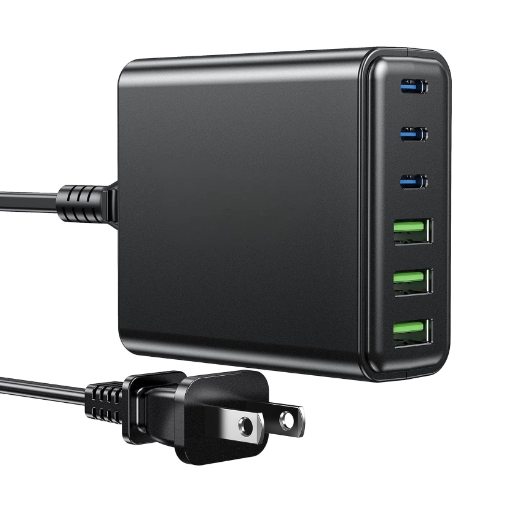
45W over USB-C Power Delivery 3.0. That is the official figure for both models, and it is the number to match when buying a replacement.
| Model | Charger input | Charging standard |
|---|---|---|
| Steam Deck LCD | 45W | USB-C PD 3.0 |
| Steam Deck OLED | 45W | USB-C PD 3.0 |
Why 15 Volts at 3 Amps Is the Number to Check
The official adapter doesn’t supply 45 watts at one fixed voltage. It offers four separate profiles and the Deck picks one:
| Profile | Watts |
|---|---|
| 5V at 3A | 15W |
| 9V at 3A | 27W |
| 15V at 3A | 45W |
| 20V at 2.25A | 45W |
Two profiles reach 45 watts, but only the 15V/3A combination is the one the Deck uses at full speed. That is the specification to look for on a replacement, and it is the detail most charger listings bury or omit entirely.
A charger that supports only the 5V or 9V profiles tops out at 15 or 27 watts. It will charge the Deck slowly, and it will show a warning while doing it.
What the Four Profiles Do
Power Delivery works as a negotiation. The charger advertises what it can supply, the device asks for what it wants, and both settle on the highest profile they share.
That’s why the wattage printed on a charger is a ceiling rather than a promise. A 65W charger isn’t delivering 65 watts to the Deck. It’s offering a menu, and the Deck chooses 45 watts from it.
The negotiation is also why a charging problem can come from either end. A charger that offers an unusual set of profiles, or a cable that can’t carry the higher ones, will both push the Deck down to a slower rate.
Steam Deck Charger Wattage: Why Higher Does Not Charge Faster
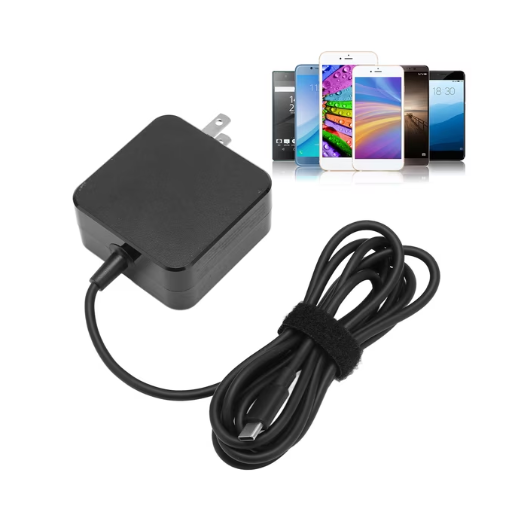
This is the most common misconception about the Steam Deck charger wattage, and it costs people money on hardware they don’t need.
Running Watts Versus Charging Watts
A device has two power figures that matter, and they aren’t the same. One is what it draws to operate. The other is what it draws to operate and charge its battery at the same time.
The Deck’s running draw is well below its charger rating. Reports put it at roughly 15 watts in typical use, though that climbs under heavy load.
That gap explains a behaviour people find confusing. Plug the Deck into a small phone charger and it will stay on and play. It will also drain its battery while doing it, because the charger is covering the running cost and leaving nothing over for the battery.
Why 65W Is the Practical Ceiling
If the Deck only takes 45 watts, a 65W charger is already generous. The extra headroom is useful for exactly one thing: a dock or hub that needs to power the Deck and its peripherals from a single supply.
Beyond 65W, nothing changes. A 100W charger negotiates with the Deck and the Deck still asks for 45 watts. You have bought a heavier brick for the same result.
What Actually Limits the Rate
Three things cap how fast a Steam Deck charges:
- The charger’s profile list. It has to include 15V/3A.
- The cable. It has to be USB-C to USB-C and rated to carry the current.
- The Deck itself. It manages its own charging rate and will slow down as the battery fills, which is normal behaviour rather than a fault.
If any one of those three is the limiting factor, upgrading the other two changes nothing.
Illustrative composite. Priya replaced her lost Steam Deck charger with a 100W adapter from a laptop, assuming more headroom would charge faster. It worked, but it charged at the same speed as the original and it was twice the size in her bag. She later bought a 45W unit with an explicit 15V/3A rating, which was cheaper, lighter and identical in performance. The wattage on the box had never been the useful number. This scenario is illustrative, not a record of a specific customer.
Choosing a Replacement Charger
What the Wattage Label Does Not Tell You
A charger advertising 45W has cleared the first hurdle and no others.
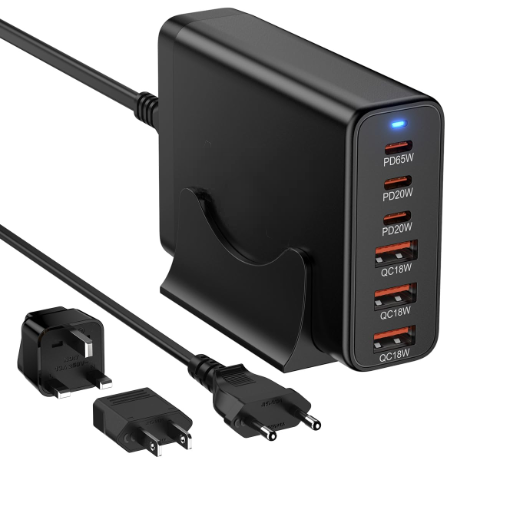
What you want to see on the specifications is a port rated for Power Delivery, an explicit 15V/3A output, and a wattage of at least 45. Where a listing gives only “45W” and nothing else, treat it as unverified.
Two more things are worth checking. A multi-port charger often splits its total output when several devices are connected, so a 65W unit with three ports may offer the Deck less than 45 watts if a laptop is also plugged in. And a charger sold with a captive cable locks you to that cable, so a damaged cord means replacing the whole unit.
Cables and Power Delivery Negotiation
The cable is where this most often goes wrong, and it is the cheapest part to get right.
USB-C is a connector shape, not a capability. A cable built for charging a phone may carry power but not data, or may not be rated for the current the higher profiles need. Either can prevent the Deck from reaching 15V/3A.
Look for a USB-C to USB-C cable explicitly rated for PD charging at 45W or above. A cable rated for 100W will cover every case and costs little more.
Be cautious with USB-A to USB-C cables. They generally can’t carry a Power Delivery negotiation at all, and will charge the Deck slowly if they charge it at all.
Docks and the Extra Load They Add
A dock changes the arithmetic, because it draws power for itself and passes the remainder to the Deck.
The Dock’s own power requirement is a separate figure from the Deck’s charging rate. If you want the Deck to charge at full speed while connected to a dock, monitor and peripherals, the supply has to cover all of those loads at once.
This is the one case where a 65W or higher charger earns its size. It isn’t charging the Deck faster. It’s covering the dock and the Deck together.
Steam Deck Charging Slowly
If the Deck is charging but slowly, the cause is almost always one of four things, and they’re worth checking in order.
The Four Common Causes
- The charger doesn’t offer 15V/3A. Check the output list on the label. A 45W rating without that profile is the single most common cause.
- The cable can’t carry it. Swap in a known-good USB-C to USB-C cable rated for 45W or more. This is the cheapest test and it resolves a surprising share of cases.
- The dock or hub is splitting the power. Unplug the peripherals and see whether the rate improves. If it does, the supply is the limit, not the Deck.
- It’s plugged into a USB-A port. A USB-A to USB-C cable generally can’t negotiate Power Delivery, so the Deck falls back to a slow charge.
A slow charge while the Deck is running a demanding game is expected rather than a fault. The device is prioritising the game over the battery, and the charge rate will recover once the load drops.
Illustrative composite. Daniel bought a third-party charger advertised at 45W and found the Deck still warned about slow charging. The charger’s label listed only 5V and 9V outputs, so the highest profile it could offer was 27W. He’d checked the headline number and never looked at the voltage. A replacement with a 15V/3A rating fixed it the same day, and the two chargers had cost the same. This scenario is illustrative, not a record of a specific customer.
Charging a Steam Deck When the Power Goes Out
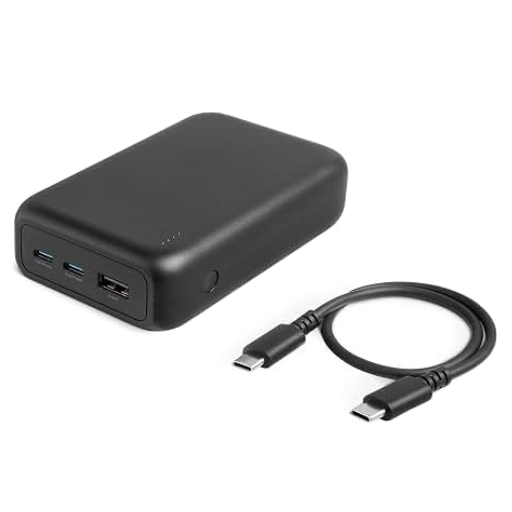
A handheld is a small load, and this is where the topic connects to something we know well.
Why a USB-C Port Is the Simplest Route
If you want to charge a Deck away from a wall outlet, a USB-C Power Delivery port on a battery or a power supply is the cleanest path. The conversion happens inside the device, the negotiation is digital, and the charger sees a well-behaved DC source rather than an AC waveform it has to interpret.
That makes the USB-C route more forgiving than running the Deck’s own adapter from an AC outlet on a poor supply.
What an AC Supply Does to the Charger
If you do plug the Deck’s charger into an AC source, the charger’s job gets harder, and this is the one genuinely technical point in the whole topic.
An AC source isn’t a perfect sine wave. Its waveform is distorted to some degree, and how much is measured as total harmonic distortion, or THD. Distortion rises as the load on a generator falls, which is why a lightly loaded set can produce a poorer waveform than the same set working harder.
A switched-mode power supply, which is what sits inside any USB-C charger, is more tolerant of this than it used to be. It is also not immune. A supply with a badly distorted waveform can make the charger run warmer, cause it to buzz, or stop it charging altogether.
Two practical points follow. A surge protector does not clean distortion; it clamps voltage spikes and does nothing about waveform shape. And the specification that governs waveform quality on a generating set is defined in ISO 8528, so if you are specifying equipment, that’s the standard to ask about rather than a headline figure from a vendor.
Our guides to the inverter generator and the conventional standby set cover how the two topologies differ in output quality.
Frequently Asked Questions
What wattage charger does the Steam Deck need?
45W over USB-C Power Delivery 3.0. Both the LCD and OLED models use the same input. Match that figure, and check that the charger lists a 15V/3A output profile.
Can I use a 65W charger on a Steam Deck?
Yes, and it will work exactly as well as a 45W unit. The Deck takes only what it needs, so the extra capacity goes unused unless you’re also powering a dock and peripherals.
Why is my Steam Deck charging slowly?
Check three things in order: whether the charger lists a 15V/3A profile, whether the cable is a USB-C to USB-C rated for 45W or more, and whether a dock is splitting the available power. A slow charge during heavy gaming is normal.
Can I charge a Steam Deck from a power station or generator?
Yes, and a USB-C Power Delivery port is the simplest route because the conversion happens inside the device. If you use the AC outlet instead, the waveform quality of the supply becomes a factor. Look for an inverter-based source and ask about its distortion specification rather than relying on an advertised wattage.
Building a backup supply around small loads like this is the same exercise as sizing anything else, just at a different scale. Talk to the ZC Power engineering team if you need a load assessment for equipment rather than a handheld.
Conclusion: The Wattage Is the Headline, Not the Answer
Forty-five watts over USB-C Power Delivery 3.0 is the answer to the question, and it’s worth knowing before you buy anything.
What saves you money is the detail underneath it. The 15V/3A profile is the number that decides whether a charger works at full speed, and it’s the one most listings leave out. A charger above 65W gives you nothing the Deck can use. And a cable that can’t carry the negotiation will hold back a charger that can.
Three things are worth remembering:
- Check the profile list, not the wattage on the box. 15V/3A is the requirement.
- Test with a known-good cable before buying a new charger. It’s the cheapest fix available.
- Match the supply to the whole load, including the dock, rather than to the Deck alone.
Get those right and the Deck charges at its rated speed on whatever hardware you choose. The wattage stops being a guess and becomes the last line of a negotiation you understand.